
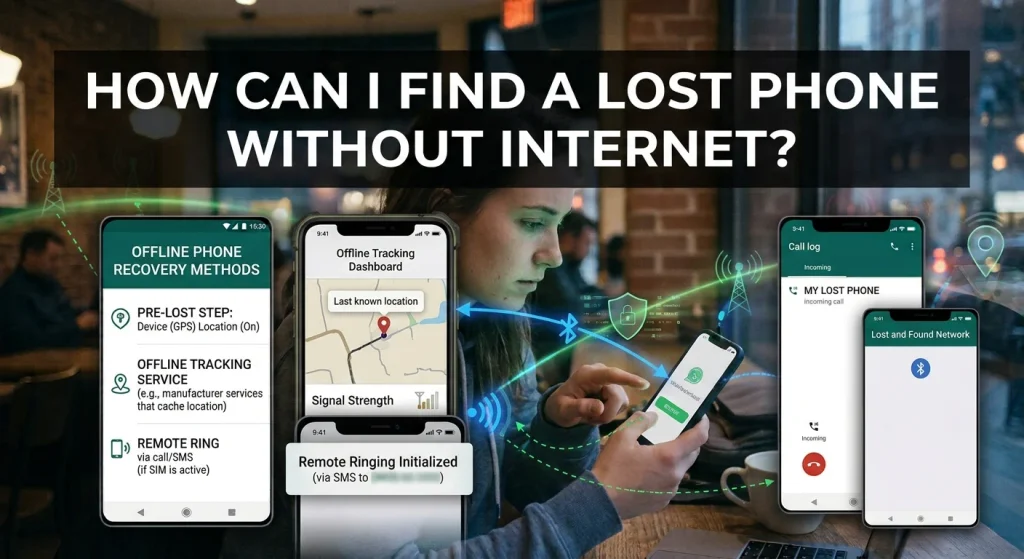
Losing a smartphone can be a stressful experience, especially when it contains important photographs, personal information, contacts, banking applications, and private conversations. The situation becomes even more difficult when you discover that your phone has no internet connection.
Many people assume that finding a lost smartphone requires an active internet connection. However, that is not always true. Depending on your device, location settings, and previously enabled security features, you may have several ways to locate or recover your missing phone.
So, how can you find a lost phone without internet?
Both Android and iPhone devices offer features that may help locate a missing device under certain conditions. You can also use Bluetooth-based finding networks, check your last known location, or take practical steps to protect your personal information.
In this guide, we explain how to find a lost phone without internet, what methods work offline, and what you should do if your device is switched off.
Can You Find a Lost Phone Without Internet?
Yes, it may be possible to find a lost phone without an active internet connection, but the available options depend on your device and its settings.
Modern smartphones use different technologies to determine their location, including GPS, cellular networks, Wi-Fi signals, and Bluetooth.
GPS can determine a phone’s location without requiring mobile data or Wi-Fi. However, transmitting that location to another device or displaying it through an online service usually requires some form of communication.
Some newer Android and Apple devices also support offline finding networks. These systems use nearby participating devices to help detect a missing phone through Bluetooth signals.
Therefore, although finding a phone without internet can be challenging, it is not always impossible.
1. How to Find a Lost Android Phone Without Internet
Android smartphones include Google’s Find Hub service, previously known as Find My Device.
Depending on your phone model and settings, Find Hub may help locate a missing device even when it is offline.
Google’s offline finding network uses nearby participating Android devices to detect Bluetooth signals from supported missing devices.
Steps to Find an Offline Android Phone
- Open a browser on another smartphone or computer.
- Visit Google’s official Find Hub website.
- Sign in using the Google Account connected to your missing phone.
- Select your missing device.
- Check whether a location or last known location is available.
- Follow the displayed information to help locate the device.
Official website: https://android.com/find
Keep in mind that offline finding must have been configured beforehand, and availability depends on the device, Android version, and regional settings.
If your phone was not configured for offline finding, Google may only display its last known location.
Does Google’s Find Hub Work Without Internet?
In supported configurations, yes.
Google’s Find Hub network can use nearby Android devices to detect certain missing devices through Bluetooth.
The nearby devices securely help report the missing device’s location to the finding network.
However, not every Android phone supports every offline finding feature. Your device must meet the relevant hardware and software requirements, and the necessary settings must have been enabled before it went missing.
2. How to Find a Lost iPhone Without Internet
Apple provides a service called Find My that can help users locate missing iPhones.
One useful feature is the Find My network, which can help locate supported Apple devices even when they are not connected to Wi-Fi or mobile data.
The network uses nearby Apple devices to detect Bluetooth signals and securely relay location information.
Steps to Find Your Lost iPhone
- Open the Find My application on another Apple device, or visit https://www.icloud.com/find.
- Sign in using the Apple Account associated with your missing iPhone.
- Select Devices.
- Choose your missing iPhone.
- Check its current or last available location.
- Follow the location information to help recover it.
If the offline finding network was enabled before the phone went missing, you may be able to see its location even when it is offline.
Enable Find My Network Before Losing Your iPhone
For future protection, make sure the relevant settings are enabled.
- Open Settings on your iPhone.
- Tap your Apple Account name.
- Select Find My.
- Tap Find My iPhone.
- Enable Find My iPhone.
- Enable Find My Network.
- Enable Send Last Location.
These features can improve your chances of locating your device if it becomes disconnected from the internet or its battery becomes critically low.
3. Use Bluetooth to Find a Lost Phone Without Internet
Bluetooth is another technology that can help locate certain missing smartphones.
Some offline finding systems use Bluetooth Low Energy signals to detect nearby devices.
For example, Apple’s Find My network and Google’s Find Hub network can use nearby participating devices to help report the location of supported missing phones.
However, Bluetooth does not automatically reveal a phone’s location.
For this method to work, the missing device must support the relevant feature, the necessary settings must have been enabled, and another participating device must come within Bluetooth range.
Bluetooth trackers can also help locate belongings such as keys, bags, and wallets, but they are different from directly locating any smartphone.
4. Check Your Phone’s Last Known Location
If your phone is currently offline, checking its last known location may be one of the most useful options.
Both Android and iPhone location services can sometimes display information about where a device was last detected.
For Android:
- Visit Google’s Find Hub website.
- Sign in with your connected Google Account.
- Select your missing device.
- Review the last available location.
For iPhone:
- Open Find My on another Apple device.
- Select Devices.
- Choose your missing iPhone.
- Check its last reported location.
Remember that a last known location is not necessarily the phone’s current location. Someone may have moved the device since it was last detected.
5. Can GPS Find a Phone Without Internet?
Yes. GPS does not require an active internet connection to calculate a device’s location.
A smartphone can receive signals from GPS satellites and determine its approximate geographical position.
However, there is an important difference between calculating a location and sharing it.
Without internet or another communication method, the phone may know where it is, but it cannot necessarily transmit that information to you.
Some phones may use previously downloaded maps or other location services to improve navigation without an internet connection.
This means GPS can help a phone determine its position offline, but it does not guarantee that you can remotely track it.
6. How to Find a Lost Phone That Is Switched Off
Finding a completely switched-off smartphone is more difficult than locating one that is simply disconnected from the internet.
However, certain newer devices support limited offline finding capabilities even after being powered down.
For example, supported iPhones can remain findable for a limited period after being turned off when the necessary Find My network settings are enabled.
Some supported Android devices also offer offline finding capabilities, although the exact behavior depends on the model and configuration.
If your device does not support these features, you may only be able to see its last known location.
Here are some steps worth taking:
- Open the official device-finding service.
- Check the last available location.
- Enable Lost Mode on iPhone or use the available secure-device options on Android.
- Add contact information if the service allows it.
- Check again later in case the device reconnects or is detected by an offline finding network.
7. What If Your Phone Has No SIM Card?
A SIM card is not always necessary for finding a lost smartphone.
For example, an iPhone or Android device may connect to Wi-Fi without a SIM card.
Similarly, supported offline finding networks can use Bluetooth instead of relying on the missing phone’s mobile network connection.
However, if the phone has no SIM card, no Wi-Fi connection, and no supported offline finding feature, your ability to locate it remotely may be limited.
8. What Should You Do Immediately After Losing Your Phone?
Finding your device is important, but protecting your personal information should also be a priority.
If you cannot locate your smartphone immediately, take these precautions.
Lock Your Phone Remotely
Use Apple’s Find My or Google’s Find Hub to mark your device as lost or secure it, where supported.
This can help prevent unauthorized access to personal information.
Contact Your Mobile Network Provider
If your phone contains a SIM card, contact your mobile operator and ask about suspending the SIM.
This can help prevent unauthorized calls, messages, and misuse of your mobile number.
Change Important Passwords
If you suspect someone may have accessed your device, secure your important accounts.
Prioritize your email, Google Account, Apple Account, banking services, and social media accounts.
Report Your Lost Phone
If you believe your phone has been stolen, report it to the appropriate authorities.
In Pakistan, you can also contact the Pakistan Telecommunication Authority (PTA) through its official website for guidance on reporting and blocking a lost or stolen mobile device.
Official website: https://www.pta.gov.pk/
Avoid confronting a suspected thief yourself. If a location service identifies a possible address, share the information with the relevant authorities.
Frequently Asked Questions
Can I Track My Phone Without Internet and GPS?
Possibly, if your device supports an offline finding network that uses Bluetooth. However, without GPS, internet, cellular communication, or nearby participating devices, locating a phone remotely becomes considerably more difficult.
Can I Find My Phone Using Its IMEI Number?
An IMEI number identifies a mobile device, but it is not a public tracking system.
Ordinary users cannot enter an IMEI number into a website and obtain a phone’s live location. Mobile network operators and authorized authorities may use relevant network information as part of lawful investigations.
Can Someone Find My Lost Phone If It Is on Airplane Mode?
It depends on the device and its settings. Airplane Mode generally disables cellular communication, but Wi-Fi or Bluetooth may remain available or can sometimes be enabled separately.
Supported offline finding networks may also work under certain conditions.
Can I Find My Phone Without a Google Account?
Finding an Android phone remotely through Google’s Find Hub generally requires the Google Account associated with the device.
If you do not have access to that account, try recovering it through Google’s official account recovery process.
Does Find My iPhone Work Without Wi-Fi?
Yes, in supported configurations. Apple’s Find My network can use nearby Apple devices to help locate a missing iPhone without requiring the missing device to have an active internet connection.
Can I Ring My Phone Without Internet?
Remote ringing generally requires a working communication connection between the phone and the finding service. If the phone is completely offline, a remote sound command may not reach it until it reconnects.
Final Thoughts
So, how can you find a lost phone without internet? The answer depends on your smartphone’s technology and whether offline finding features were enabled before the device went missing.
Android users can use Google’s Find Hub, while iPhone users can rely on Apple’s Find My network. Both services may provide offline location information on supported devices.
You can also check the last known location, use Bluetooth-based finding features, and take steps to protect your personal information.
The most important advice is to configure your phone’s finding and security features before losing it. Enabling offline finding, location services, and account security options can make a significant difference when your smartphone goes missing.