
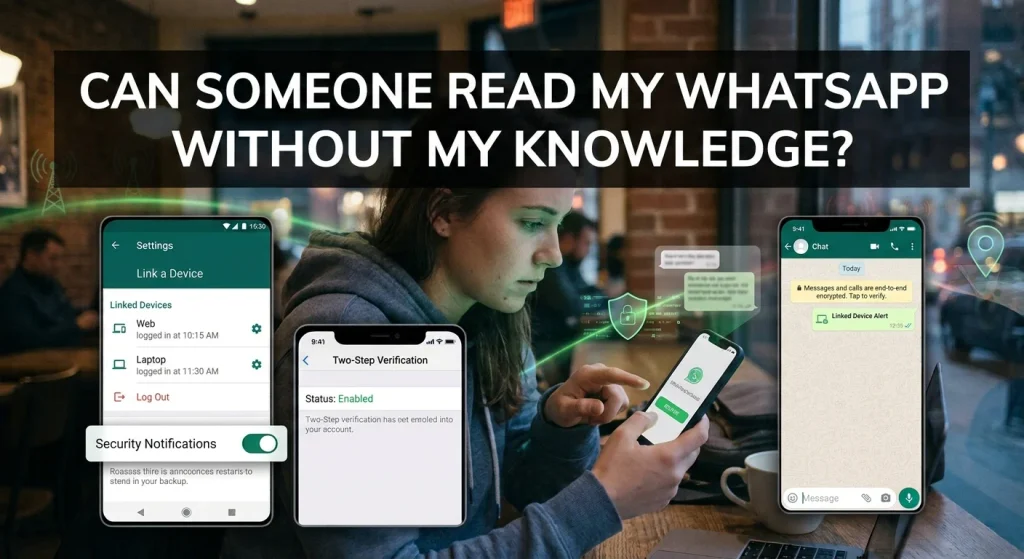
WhatsApp has become one of the most popular messaging applications worldwide. Millions of people use it every day to exchange private messages, share photographs, make voice and video calls, and send important personal information. However, as people increasingly depend on messaging applications, concerns about privacy and security are also growing.
One question many users ask is: Can someone read my WhatsApp messages without my knowledge?
The answer is yes, it is possible in certain situations. Although WhatsApp uses end-to-end encryption to protect private conversations, someone may still gain access to your messages through linked devices, unauthorized account access, physical access to your phone, or malicious applications.
In this article, we explain how someone might read your WhatsApp messages without your permission, the warning signs to watch for, and how to protect your conversations on Android and iPhone.
Can Someone Really Read Your WhatsApp Messages Without You Knowing?
Yes, someone may be able to access your WhatsApp conversations without your immediate knowledge.
However, this does not mean WhatsApp’s encryption has been broken.
WhatsApp uses end-to-end encryption, meaning messages are protected while traveling between participants. In normal circumstances, only the sender and intended recipient can read the message content.
Nevertheless, encryption cannot protect messages from someone who gains access to an authorized device or account.
For example, if someone secretly links your WhatsApp account to another device, they may be able to access synchronized conversations. Similarly, someone who knows your phone password could potentially open your WhatsApp application and read private chats.
Understanding these possibilities is important for protecting your personal information.
7 Ways Someone Could Read Your WhatsApp Messages
There are several ways unauthorized individuals may gain access to WhatsApp conversations.
1. Through WhatsApp Linked Devices
One of the most important security features to check is WhatsApp’s Linked Devices option.
WhatsApp allows users to connect additional devices, including computers and other supported devices, to their accounts.
If someone gets temporary access to your unlocked phone, they may attempt to link another device.
Depending on the linked device and synchronization status, that person may be able to access your conversations without repeatedly using your phone.
To check linked devices:
- Open WhatsApp.
- Tap the three-dot menu on Android or Settings on iPhone.
- Select Linked Devices.
- Review the connected devices.
- Look for unfamiliar browsers, computers, or devices.
- Select any device you do not recognize and log it out.
Check this section regularly to make sure only your authorized devices are connected.
2. Someone Has Access to Your Phone
Another possibility is that someone physically accesses your smartphone.
If another person knows your screen lock password or can unlock your device, they may open WhatsApp and read your conversations.
This can happen when someone borrows your phone, knows your passcode, or has access to an unattended device.
To prevent this:
- Use a strong screen lock.
- Avoid sharing your phone password.
- Enable WhatsApp’s fingerprint or Face ID lock.
- Never leave your unlocked phone unattended.
3. Someone Has Access to Your WhatsApp Account
Your WhatsApp account is connected to your phone number.
If someone obtains your verification code through social engineering or another security attack, they may attempt to register your account on another device.
WhatsApp may send a verification code when someone tries to register your number.
Never share this code with anyone, even if they claim to be a WhatsApp employee, friend, or family member.
Enable two-step verification to add an additional security layer.
4. Through Spyware or Malicious Applications
Spyware is software designed to collect information from a device without the owner’s informed permission.
Depending on its capabilities and the permissions it obtains, malicious software may be able to access sensitive information, monitor device activity, or capture information displayed on the screen.
Some applications disguise themselves as ordinary utilities or security tools.
Be careful when downloading applications from unfamiliar websites or granting unnecessary permissions.
On Android, review accessibility permissions and device administrator access. On iPhone, review installed applications and configuration profiles.
Not every unfamiliar application is spyware, so investigate before removing anything important.
5. Through Notification Access
Smartphone notifications can display message previews without opening WhatsApp.
If someone has access to your unlocked phone, notification history, or another device that receives your notifications, they may be able to see parts of your private conversations.
Some Android applications also request notification access, which may allow them to read notification content.
To improve privacy, disable message previews on your lock screen and review which applications have notification access.
6. Through an Unsecured Cloud Account
Your Google or Apple Account can contain important information connected to your smartphone.
If someone gains unauthorized access to your account, they may be able to access certain synchronized information or cloud backups, depending on your settings.
WhatsApp backups are separate from ordinary end-to-end encrypted conversations in transit. Depending on your configuration, cloud backups may also have end-to-end encryption enabled.
To protect your information:
- Use a strong Google or Apple Account password.
- Enable two-factor authentication.
- Review connected devices.
- Enable end-to-end encrypted WhatsApp backups.
- Never share account verification codes.
7. Through Social Engineering
Not every WhatsApp security attack requires sophisticated software.
Sometimes, attackers simply manipulate users into sharing sensitive information.
For example, someone might pretend to be a friend, send a fake verification request, or claim that your WhatsApp account needs immediate security verification.
Once they obtain your verification code or other account credentials, they may attempt to gain unauthorized access.
Always verify suspicious requests through another trusted communication method.
7 Signs Someone Might Be Reading Your WhatsApp Messages
Although these signs do not prove that someone is accessing your conversations, they can help you identify suspicious account activity.
1. Unknown Linked Devices
Finding a computer, browser, or device you do not recognize in your Linked Devices section is a reason to investigate immediately.
Log out unfamiliar devices and secure your account.
2. Unexpected Verification Messages
If you receive WhatsApp verification codes without requesting them, someone may be attempting to register your phone number.
Never share the code.
3. Messages Are Marked as Read Unexpectedly
If messages appear as read before you open them, investigate whether someone else has access to your phone or account.
However, linked devices and ordinary synchronization behavior can also explain unexpected read receipts.
4. Messages Are Sent Without Your Permission
If friends report receiving unusual messages from your WhatsApp account that you did not send, investigate your account security immediately.
This could indicate unauthorized access or another account-related problem.
5. Unfamiliar Changes to Your Account
Unexpected changes to your profile picture, account information, privacy settings, or two-step verification settings deserve attention.
Review your account and make sure everything is correct.
6. Unexpected Battery or Data Usage
Some malicious applications may consume additional battery power or mobile data while operating in the background.
However, these symptoms are not specific to WhatsApp monitoring and can have many ordinary explanations.
7. Unexpected WhatsApp Security Notifications
Pay attention to notifications about account registration, device linking, or security changes.
If you receive an alert you did not initiate, investigate it through WhatsApp’s official application.
How to Protect Your WhatsApp Messages From Unauthorized Access
Protecting your conversations does not require advanced technical knowledge. WhatsApp provides several security features that can help prevent unauthorized access.
Enable WhatsApp Two-Step Verification
Two-step verification adds a PIN that is required when registering your WhatsApp account again.
To enable it:
- Open WhatsApp.
- Go to Settings.
- Select Account.
- Tap Two-step verification.
- Select Turn On.
- Create a PIN.
- Add an email address for recovery.
Choose a PIN that other people cannot easily guess.
Enable Fingerprint Lock or Face ID
WhatsApp allows users to add an additional authentication requirement when opening the application.
On supported devices, you can enable fingerprint authentication or Face ID.
On Android, look under Settings, Privacy, and App Lock or Fingerprint Lock, depending on your version.
On iPhone, check Settings, Privacy, and App Lock if available in your WhatsApp version.
Enable Disappearing Messages When Appropriate
WhatsApp offers disappearing messages that automatically disappear after a selected period.
This feature can help reduce how long certain conversations remain visible in your chat history.
However, disappearing messages are not a complete privacy solution. Recipients may still save, copy, photograph, or otherwise preserve message content.
Review Linked Devices Regularly
Make it a habit to check your Linked Devices section.
Remove unfamiliar devices immediately and avoid linking your account on public or shared computers.
Protect Your Phone’s Lock Screen
Your phone’s lock screen can reveal private message previews.
Consider changing notification settings so that message content is hidden until your device is unlocked.
This is particularly useful when your phone is placed on a desk or shared with other people.
Keep WhatsApp Updated
Install WhatsApp updates through the official Google Play Store or Apple App Store.
Updates may include security improvements, bug fixes, and privacy enhancements.
Can Someone Read WhatsApp Messages Without Opening Your Phone?
In certain situations, yes.
For example, an authorized linked device may display conversations without requiring someone to unlock your primary phone every time.
Similarly, someone with access to your cloud account may be able to access certain backed-up information, depending on your settings and backup encryption.
However, simply knowing your phone number does not normally allow someone to read your private WhatsApp conversations.
Can Someone Read Your WhatsApp Messages Through WhatsApp Web?
Yes, WhatsApp Web can display your conversations when your account has been successfully linked to a browser.
This is a legitimate WhatsApp feature designed to let users communicate from computers.
However, if someone links your account without permission, they may gain access to your conversations through that browser.
You can protect yourself by checking Linked Devices and logging out of sessions you do not recognize.
Frequently Asked Questions
Can Someone Read My WhatsApp Messages Without My Phone?
Yes, potentially. Someone may access conversations through an already linked device or certain compromised account configurations. However, simply knowing your phone number is not enough to read your messages.
Can Someone Read Deleted WhatsApp Messages?
If someone previously saw or saved a message, deleting it does not remove their existing copy. A message may also remain in a notification preview or an existing backup, depending on the circumstances.
Does WhatsApp Notify You When Someone Links a Device?
WhatsApp provides account and device-linking security information, and users can review connected devices in the Linked Devices section. You should not rely exclusively on notifications; check the list yourself.
Can Someone Read My WhatsApp Messages Through Wi-Fi?
Using the same Wi-Fi network does not automatically allow another person to read your WhatsApp conversations. WhatsApp uses end-to-end encryption to protect messages in transit.
Is WhatsApp Completely Secure?
WhatsApp provides end-to-end encryption for personal messages and calls by default. However, account security, device protection, linked devices, backups, and user behavior also affect overall privacy.
Final Thoughts
So, can someone read your WhatsApp messages without your knowledge? Yes, unauthorized access is possible, particularly if someone gains access to your phone, links another device, compromises your account, or installs malicious software.
However, WhatsApp’s end-to-end encryption provides important protection against unauthorized access to messages while they travel between participants.
The best way to protect your conversations is to enable two-step verification, use fingerprint or Face ID protection, regularly review linked devices, and secure your Google or Apple Account.
Most importantly, never share your WhatsApp verification code or two-step verification PIN with anyone.
Taking these simple precautions can help keep your private conversations protected and reduce the risk of unauthorized access.