
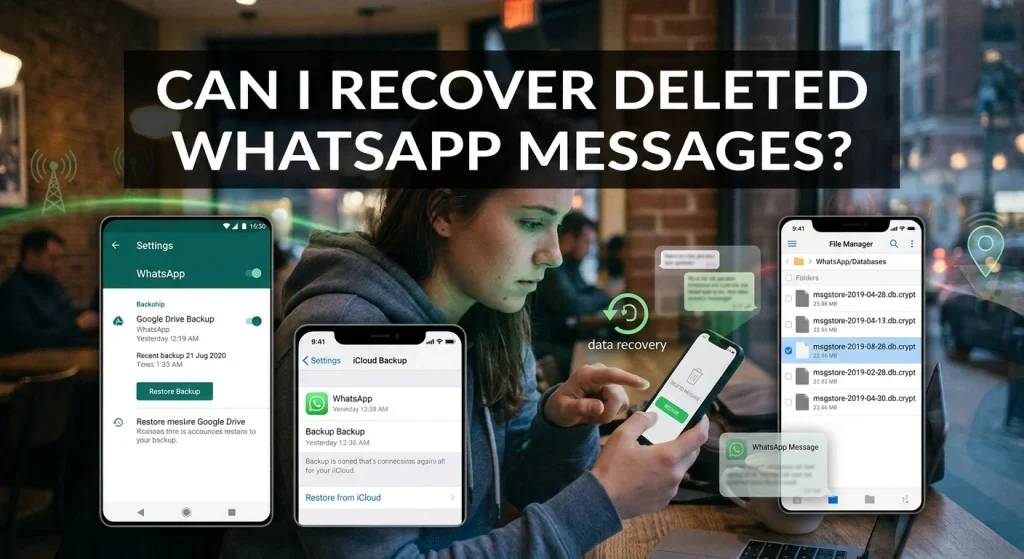
WhatsApp is one of the most widely used messaging applications, allowing people to communicate through text messages, voice notes, photographs, videos, and documents. However, accidentally deleting an important conversation can be frustrating, especially when it contains personal memories, business information, or important details.
This raises a common question: Can I recover deleted WhatsApp messages?
The answer is yes, in many situations. You may be able to recover deleted WhatsApp messages using Google Drive backups, iCloud backups, or your phone’s local backup files. However, the recovery process depends on your device, backup settings, and when the messages were deleted.
In this guide, we explain how to recover deleted WhatsApp messages on Android and iPhone, what happens when you delete a conversation, and whether messages can be recovered without a backup.
Can You Really Recover Deleted WhatsApp Messages?
Yes, deleted WhatsApp messages can sometimes be recovered, but there is no guarantee that every deleted conversation can be restored.
WhatsApp provides backup features that allow users to save their conversations and restore them when reinstalling the application.
For Android users, backups may be available through Google Account storage or local device backups. iPhone users generally rely on iCloud backups.
If a backup contains the messages you deleted, restoring that backup may bring the conversations back.
However, if the messages were deleted before the last available backup and no older backup contains them, recovery may not be possible through WhatsApp’s official methods.
1. How to Recover Deleted WhatsApp Messages on Android
Android users can restore deleted WhatsApp conversations using an existing Google Account backup.
Before starting, check whether a backup is available.
Step 1: Check Your WhatsApp Backup
Open WhatsApp and follow these steps:
- Tap the three-dot menu.
- Select Settings.
- Open Chats.
- Select Chat Backup.
- Check the date and time of your last backup.
If the backup was created before you deleted the messages, it may contain the conversations you want to recover.
Step 2: Restore Messages From Google Drive
If a suitable Google Drive backup exists, follow these steps:
- Make sure you are using the same Google Account associated with the backup.
- Uninstall WhatsApp from your Android device.
- Reinstall WhatsApp from the Google Play Store.
- Open the application.
- Verify the same phone number used for the backup.
- Follow the restore instructions when WhatsApp detects your backup.
- Tap Restore and wait for the process to finish.
Once restoration is complete, your backed-up conversations should become available.
Keep in mind that messages received after the backup date may not be included in the restored backup.
2. How to Recover Deleted WhatsApp Messages on iPhone
iPhone users can recover deleted WhatsApp messages through an existing iCloud chat backup.
The process is relatively straightforward, provided a suitable backup is available.
Step 1: Check Your iCloud Backup
Open WhatsApp on your iPhone and follow these instructions:
- Open Settings in WhatsApp.
- Select Chats.
- Tap Chat Backup.
- Check the last backup date and time.
If the backup was created before the conversation was deleted, you may be able to restore those messages.
Step 2: Restore Deleted Messages From iCloud
Follow these steps:
- Confirm that you are signed in to the same Apple Account used for the backup.
- Make sure iCloud Drive is enabled.
- Uninstall WhatsApp from your iPhone.
- Download WhatsApp again from the App Store.
- Verify your original phone number.
- Follow the instructions to restore your chat history from iCloud.
- Wait for the restoration process to complete.
Your backed-up conversations should reappear once the restoration is finished.
Important: Restoring an older backup can replace your current chat history with the version stored in that backup. Save any important recent conversations before proceeding.
3. Can You Recover WhatsApp Messages Without a Backup?
This is one of the most frequently asked questions among WhatsApp users.
Unfortunately, recovering deleted WhatsApp messages without an existing backup is difficult and may not be possible through official recovery methods.
WhatsApp does not provide a general feature that allows users to retrieve every permanently deleted message from its servers.
However, there are a few possibilities worth checking.
Check Notification History on Android: Some Android devices offer notification history. If it was enabled before the message arrived, you may be able to see a notification preview containing part of the deleted message.
Check Linked Devices: If you use WhatsApp on another linked device, check whether the conversation is still visible there. However, message synchronization and deletion behavior can vary, so this is not a reliable recovery method.
Ask the Sender: If another person sent you the deleted messages, you can ask them to forward the messages again or share screenshots.
Check Existing Device Backups: You may have an older backup stored locally or through your device’s backup service, even if you do not currently have a recent WhatsApp cloud backup.
Avoid applications that promise guaranteed recovery of permanently deleted WhatsApp messages. Many require unnecessary access to personal information and cannot retrieve messages that are no longer available.
4. How to Recover Deleted WhatsApp Messages Using Local Backup on Android
Android devices may store local WhatsApp database backups on the phone.
Depending on your WhatsApp version and device configuration, these files may be available in the following location:
Android/media/com.whatsapp/WhatsApp/Databases
Some older installations may use a different folder structure.
These database files can contain previous chat backups, which may offer another recovery option.
To investigate:
- Open your phone’s file manager.
- Navigate to the WhatsApp Databases folder.
- Look for backup files with dates in their filenames.
- Check whether an older backup exists from before the messages were deleted.
- Preserve a copy of the existing backup files before attempting any restoration.
Local database restoration can be complicated because file naming, encryption, and restoration behavior vary between WhatsApp versions.
Do not delete or rename backup files without understanding the process. If the files are important, consider getting technical assistance.
5. Can You Recover WhatsApp Messages Deleted by the Sender?
WhatsApp includes a feature called Delete for Everyone, which allows a sender to remove a message from a conversation for all participants within the applicable time limit.
When someone uses this feature, the original message is generally replaced by a deletion notice.
WhatsApp does not provide a built-in option to recover the original message after it has been successfully deleted for everyone.
However, you might still have a notification preview if your device recorded it before the message was deleted.
On some Android devices, notification history may preserve a preview of incoming text messages if the feature was enabled beforehand.
This does not guarantee recovery, and it generally will not restore deleted photographs, videos, or complete conversations.
6. Can WhatsApp Messages Be Recovered After Uninstalling the App?
Yes, uninstalling WhatsApp does not necessarily mean your chat history is permanently lost.
If you previously created a Google Drive or iCloud backup, you may be able to restore your conversations after reinstalling the application.
The important factors are:
- Whether a backup exists.
- The date of the backup.
- Whether you have access to the original Google or Apple Account.
- Whether you can verify the same phone number.
- Whether sufficient storage is available.
If no suitable backup exists, uninstalling WhatsApp may make recovery considerably more difficult.
Before uninstalling the application, always check your backup settings.
7. How to Prevent Losing WhatsApp Messages in the Future
Losing important conversations can be frustrating, but you can reduce the risk by configuring automatic backups.
Enable Automatic Backups on Android
- Open WhatsApp.
- Go to Settings.
- Select Chats.
- Tap Chat Backup.
- Select your Google Account.
- Choose a backup frequency, such as Daily or Weekly.
- Start a backup if necessary.
Enable Automatic Backups on iPhone
- Open WhatsApp.
- Go to Settings.
- Select Chats.
- Tap Chat Backup.
- Select Auto Backup.
- Choose Daily, Weekly, or Monthly.
- Tap Back Up Now to create an immediate backup.
For additional protection, make sure your Google or Apple Account is secured with a strong password and two-factor authentication.
You should also check your available cloud storage because insufficient storage can prevent automatic backups from completing.
Frequently Asked Questions
Can I Recover WhatsApp Messages Deleted 1 Year Ago?
Possibly, but only if an available backup or another preserved copy contains those messages. If no such copy exists, recovering messages deleted a year ago may not be possible.
Can I Recover Deleted WhatsApp Photos and Videos?
Yes, if the photographs or videos are included in an available backup or remain saved in your phone’s gallery or media folders.
Check your device’s Photos or Gallery application before attempting a complete WhatsApp restoration.
Can I Recover Deleted WhatsApp Messages Without Uninstalling WhatsApp?
WhatsApp does not generally offer a direct restore option for an older chat backup without reinstalling the application. However, you can check notification history, linked devices, and other existing copies before considering restoration.
Does WhatsApp Store Deleted Messages?
WhatsApp does not provide users with a general archive from which they can retrieve permanently deleted conversations. Backup availability and retention depend on your backup settings and the relevant cloud storage service.
Will Restoring a Backup Delete My New Messages?
It can. Restoring an older backup may replace your current chat history with the version saved at the backup date. Messages created after that backup may not be restored.
Final Thoughts
So, can you recover deleted WhatsApp messages? Yes, it is possible when an appropriate Google Drive, iCloud, or local backup is available.
Android and iPhone users can both restore backed-up conversations, although the steps are slightly different.
The most important thing is to check your backup date before uninstalling WhatsApp or attempting restoration. If you do not have a backup, recovery options are limited, and third-party applications promising guaranteed results should be treated with caution.
To avoid losing important conversations in the future, enable automatic WhatsApp backups and regularly check that they are completing successfully.