
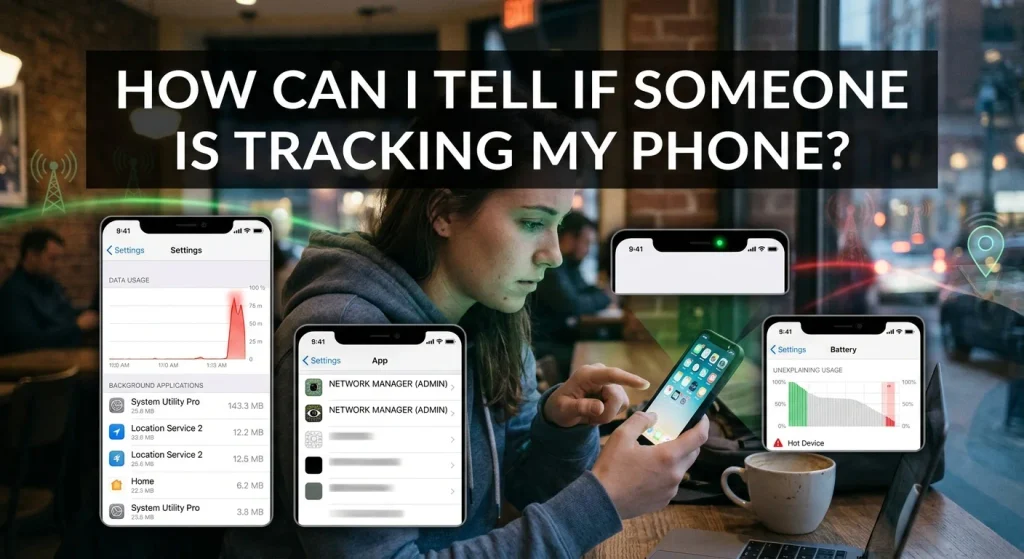
Smartphones contain a huge amount of personal information, including photographs, private messages, contact lists, location history, and online activity. While these features make everyday life easier, they also raise an important privacy concern: someone might be tracking your phone without your knowledge.
Whether you use an iPhone or an Android device, unauthorized tracking is a real possibility. Someone could potentially monitor your location through location-sharing features, compromised accounts, tracking applications, or spyware.
But how can you tell if someone is tracking your phone? Are there warning signs you should look for, and how can you stop someone from accessing your location?
In this guide, we explain the common signs of phone tracking, how to check your device, and practical steps you can take to protect your privacy.
Can Someone Track Your Phone Without You Knowing?
Yes, someone may be able to track your phone without you immediately noticing. However, the method depends on the type of access they have.
For example, someone who has access to your Google or Apple Account may be able to view certain location information if location-sharing features are enabled.
Similarly, some applications request location permissions to provide services. If an application has unnecessary access to your location, it may collect location information in the background, depending on its permissions and privacy settings.
More sophisticated threats involve spyware or other malicious software designed to collect information from a device.
It is important to understand that unusual phone behavior does not automatically mean someone is tracking you. Checking your privacy settings and account activity is a better way to investigate.
7 Signs Someone Might Be Tracking Your Phone
Several unusual changes may indicate that an application or another person has access to your location or device information.
- Your Battery Drains Unusually Fast
If your phone suddenly starts losing battery power much faster than usual, background applications could be responsible.
Some location-based applications regularly use GPS, mobile data, and background processing to update location information.
This activity may increase battery consumption, particularly if an application frequently accesses your location.
However, an aging battery, poor network coverage, and ordinary applications can cause similar problems.
Check your battery usage settings to identify applications consuming unusually large amounts of power.
- Your Mobile Data Usage Increases
Unexpected increases in mobile data usage may indicate that applications are communicating with external servers more frequently than expected.
Some applications transmit location information and other usage data in the background.
To investigate:
Open your phone’s Settings.
Find Mobile Data or Data Usage.
Review individual application consumption.
Look for unfamiliar applications or unexpected background activity.
An increase in data usage does not prove tracking, but it can help identify applications worth investigating.
- Your Location Settings Show Unfamiliar Activity
One of the most important things to check is which applications have access to your location.
Some applications need location information to function properly, while others may request access unnecessarily.
Review your location permissions and look for applications that you do not recognize or that have access when they do not need it.
Pay particular attention to applications allowed to access your location all the time.
- Your Phone Gets Hot Without Heavy Usage
A smartphone can become warm when applications continuously use its processor, GPS, or internet connection.
If your device regularly becomes hot while sitting unused, review your background application activity.
However, overheating can also result from software updates, poor signal strength, charging, or battery problems.
It should be treated as a reason to investigate rather than proof of unauthorized tracking.
- You Notice Unfamiliar Applications
Some applications provide location-sharing or device-monitoring services.
If you discover an application you do not remember installing, investigate its purpose and permissions.
On Android, also review applications with accessibility access and device administrator privileges.
On iPhone, check installed applications and configuration profiles for anything unfamiliar.
Do not remove essential system applications simply because their names are unfamiliar. Verify their purpose first.
- Someone Knows Your Location Without You Sharing It
If someone repeatedly knows where you are despite you never directly sharing your location with them, it may be worth checking your privacy settings.
Possible explanations include:
Location sharing through Google Maps.
Apple’s Find My location-sharing feature.
Access to your Google or Apple Account.
Shared family accounts or devices.
Social media applications with location access.
Physical Bluetooth tracking devices.
There may also be ordinary explanations, such as public social media posts or information you have shared previously.
- You Receive Unexpected Account Login Alerts
Unexpected login notifications can indicate that someone is attempting to access your online accounts.
If another person gains access to your Google or Apple Account, they may potentially access location-related information or services connected to that account.
Check your account’s signed-in devices and recent security activity.
If you see a device you do not recognize, secure your account immediately.
How to Check If Someone Is Tracking Your iPhone
iPhones include several privacy and security features that help users understand how their location and personal information are being accessed.
Here are some practical checks.
Check Location Sharing Through Find My
Apple’s Find My application allows users to share their location with other people.
To check your settings:
Open the Find My application.
Select the People tab.
Review the people who can see your location.
Check whether you recognize everyone listed.
Stop sharing your location with anyone you do not want to have access.
Remember that location sharing may be intentional, particularly with family members or trusted contacts.
Check Which Applications Have Location Access
You can review location permissions directly from your iPhone settings.
Follow these steps:
Open Settings.
Select Privacy & Security.
Tap Location Services.
Review the applications listed.
Check which applications have access to your location.
Change unnecessary permissions to Never or While Using the App, depending on your needs.
You can also review whether applications have access to Precise Location.
Check Devices Connected to Your Apple Account
Someone with unauthorized access to your Apple Account may potentially access information associated with your account.
To review connected devices:
Open Settings.
Tap your Apple Account name.
Scroll down to the device list.
Review the connected devices.
Investigate anything you do not recognize.
If you identify an unfamiliar device, consider removing it and changing your Apple Account password from a trusted device.
Check for Unknown Configuration Profiles
Configuration profiles can change certain settings on an iPhone.
To review them:
Open Settings.
Select General.
Tap VPN & Device Management.
Review installed profiles and management entries.
If you find something unfamiliar, investigate it before removing it. Some profiles are legitimately installed by employers, schools, or organizations.
How to Check If Someone Is Tracking Your Android Phone
Android devices provide several tools for identifying applications that access your location and other sensitive information.
Review Location Permissions
Follow these steps:
Open Settings.
Select Location.
Find App Location Permissions.
Review applications with location access.
Change unnecessary permissions.
The exact menu names may differ depending on your Android manufacturer and operating system version.
Use the Android Privacy Dashboard
The Privacy Dashboard helps users review which applications have accessed sensitive permissions.
To check it:
Open Settings.
Select Security & Privacy or Privacy.
Open Privacy Dashboard.
Review Location, Camera, and Microphone activity.
Investigate unfamiliar applications.
This feature can help identify applications accessing your personal information.
Check Google Account Location Sharing
Google Maps includes a location-sharing feature that allows users to share their real-time location with selected people.
To review it:
Open Google Maps.
Tap your profile picture.
Select Location Sharing.
Review the people who can see your location.
Stop sharing with anyone you do not recognize or trust.
Also review devices connected to your Google Account through its security settings.
Scan Your Device With Google Play Protect
Google Play Protect checks applications for certain security threats.
To use it:
Open Google Play Store.
Tap your profile picture.
Select Play Protect.
Tap Scan.
Follow any recommendations.
It can help identify certain harmful applications, although it cannot detect every form of spyware or tracking.
Can Someone Track Your Phone Through Your Phone Number?
Knowing your phone number alone does not normally allow someone to see your live location.
However, cybercriminals can use phone numbers in different types of attacks.
For example, they may attempt SIM swapping, send fraudulent links, or use social engineering to obtain access to your accounts.
Mobile network operators can determine approximate or network-based device locations through cellular infrastructure, but an ordinary person cannot simply enter your number into a website and obtain your precise live location.
Be careful with websites and applications claiming to locate any phone using only its number. Many are misleading or fraudulent.
How to Stop Someone From Tracking Your Phone
If you believe someone has unauthorized access to your location, take the following precautions.
- Review Location Sharing: Check Google Maps, Find My, and other applications that allow location sharing.
- Change Your Account Passwords: Secure your primary email, Google Account, and Apple Account using strong, unique passwords.
- Enable Two-Factor Authentication: This adds another layer of protection to your important accounts.
- Remove Unnecessary Application Permissions: Restrict location access for applications that do not need it.
- Update Your Phone: Install the latest available operating system and security updates.
- Review Connected Devices: Remove unfamiliar devices from your Apple or Google Account after securing your password.
- Check for Unknown Tracking Devices: If you suspect a physical tracker, use your phone’s supported unwanted-tracking alerts and investigate unfamiliar Bluetooth devices.
- Consider Professional Assistance: If you have strong reasons to suspect sophisticated spyware, seek help from a qualified cybersecurity professional.
If you are concerned that someone close to you may be monitoring your device, consider using a separate trusted device to seek assistance. Changing settings or removing access may alert the person in some circumstances.
Frequently Asked Questions
Can Someone Track My Phone When Location Is Turned Off?
Turning off location services can prevent many applications from accessing GPS-based location information. However, it does not necessarily eliminate every form of location estimation.
Mobile networks can estimate a device’s location using cellular connections, and some services may have previously collected location information.
Can Someone Track My Phone Through WhatsApp?
WhatsApp does not automatically share your live location with everyone who has your phone number.
However, if you intentionally share your live location with someone, they can see your location for the selected sharing period.
Review your active location-sharing conversations if you are concerned.
Can Someone Track My Phone Without Installing an App?
Yes, in certain situations. For example, someone with access to your Google or Apple Account may be able to use existing location-sharing services without installing a separate tracking application on your phone.
Physical tracking devices can also track belongings without requiring tracking software to be installed on the smartphone itself.
Does Turning Off My Phone Stop Tracking?
Turning off your smartphone generally stops ordinary applications from transmitting new location information while the device is powered down.
However, some newer devices support limited finding features even when powered off. Previously collected location information may also remain available through connected accounts.
Final Thoughts
Knowing how to identify unauthorized phone tracking is an important part of protecting your digital privacy.
Although battery drainage, overheating, increased data usage, and unfamiliar applications can be warning signs, none of these symptoms independently proves that someone is monitoring your phone.
The most useful approach is to review your location-sharing settings, application permissions, connected accounts, and device security.
Whether you use an iPhone or Android smartphone, regularly checking these settings can help you maintain control over your personal information and reduce the risk of unwanted tracking.